Hangman
What is Hangman?
Hangman is a casual word-guessing game usually played by two people. One person sets the word to be guessed and the other person guesses the letters in the given word. Then, there's a limit to the number of guesses. Traditionally, the player who guesses can have up to 8 wrong guesses before the game ends.
We've put ourselves to the test and decided to automate this game by making a mobile app version of it.
This version can be played by one person only. The other person who chooses the word to be guessed is now the computer (i.e. a python code). We've decided to make this more difficult, because only 6 errors are allowed.
For practical reasons too, this makes it is faster to test and we have also left the possibility of future updates. 😄
Why this app?
First of all, because it is a game 😉, then, here, unlike the work done on the "Translator" app, here we wanted to delve into the greater
use of instructions in Python to create something that has greater interactivity with the user.
We therefore decided to transpose our interpretation of an exercise done in Python on the "Thonny" application,
inside the "briefcase" for the development of a mobile app.
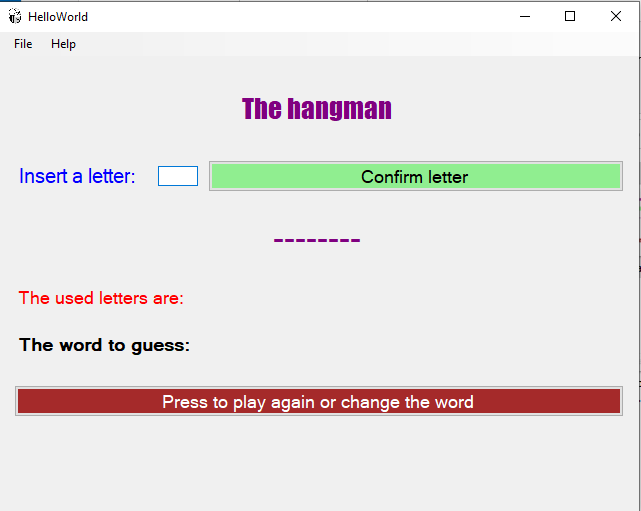
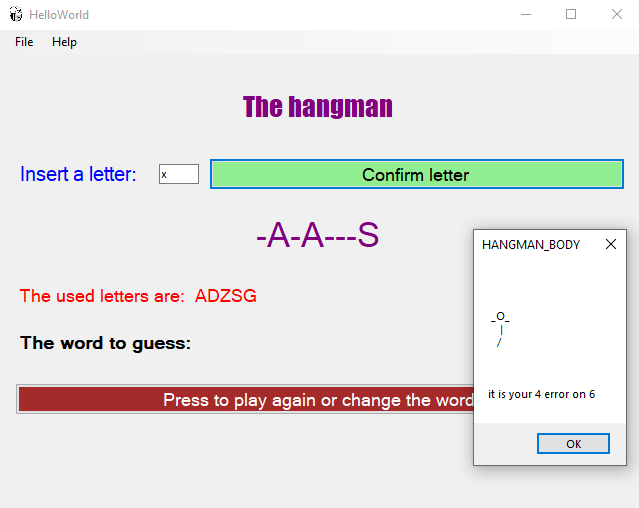
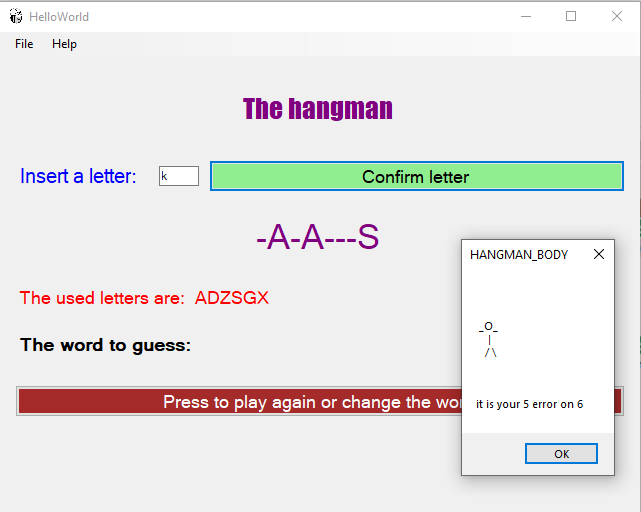
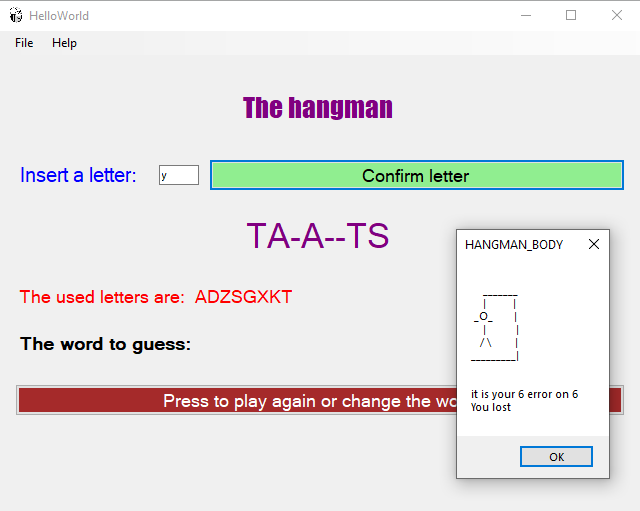
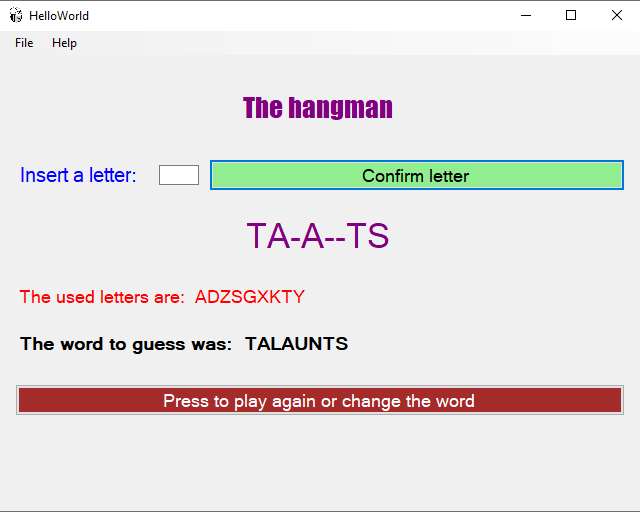
The following images give an example of the final result we obtained.
We worked: on the colors, on the arrangement of the text, on the user response interface in case of error or in
case of victory and on the continuation of the game, managing a single page.
We have divided everything into three blocks.
First block
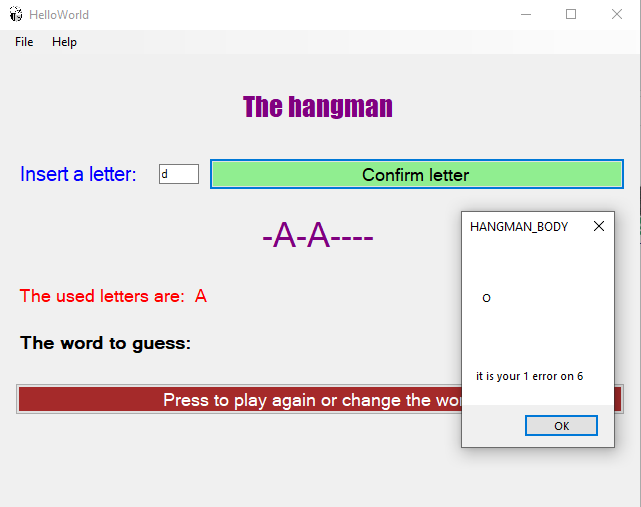
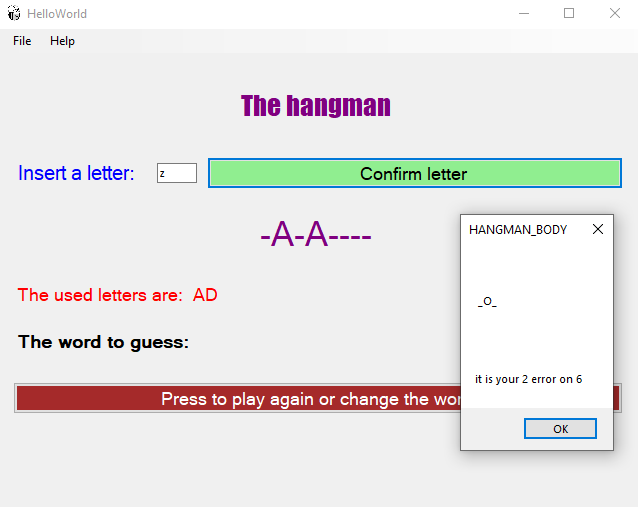
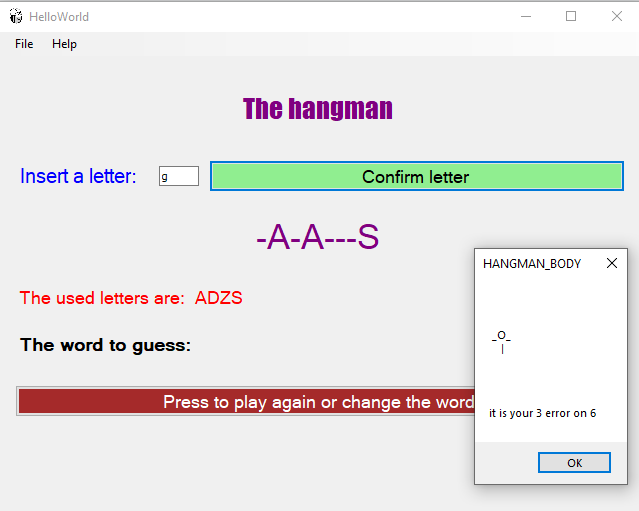
In the first block there are 8 images that show what happens when the user fails to guess the hidden word.
Second block
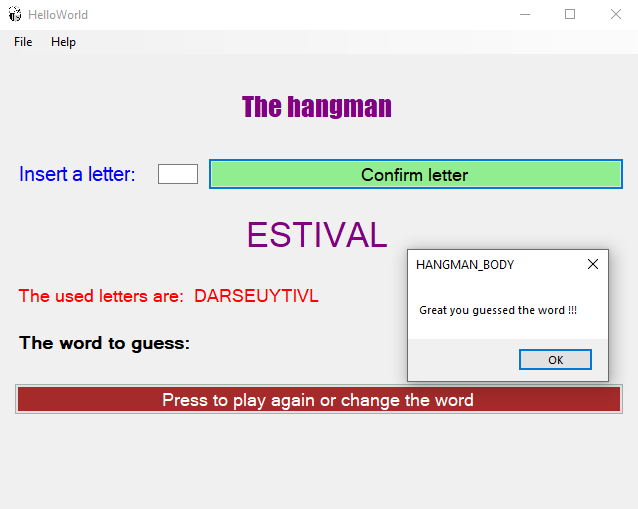
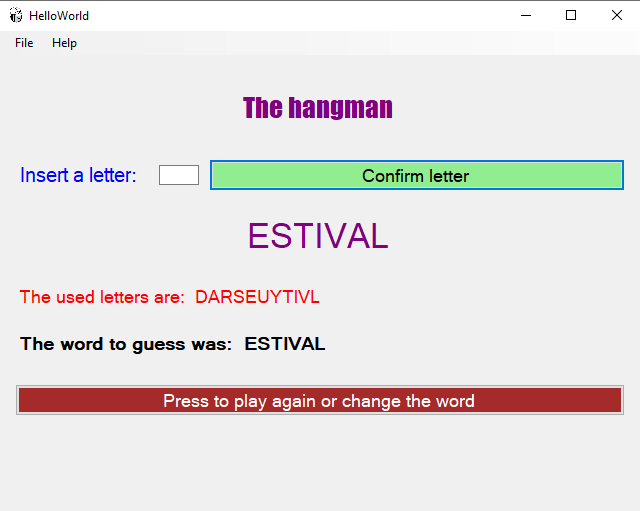
These are pictures of when a player guesses the hidden word.
Third block
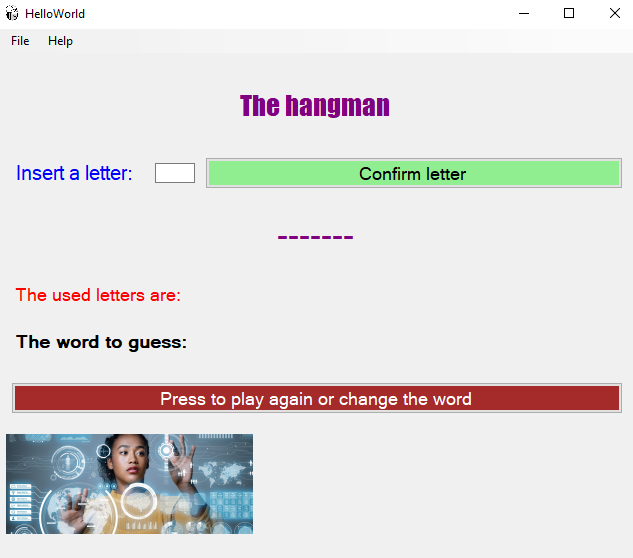
This is the updated version after we had already made the images of the previous blocks, but we wanted to add an image that would refer to our degree course. 😊
Now some insights on the program
Now let's look at how the program was written, but we will do it only in pieces, we will put what for us may have been the most significant points or curiosities.
1. Use of boxes
Instead of putting all the boxes we created inside the "main.box", we created another intermediate container "box_background"
and put all the boxes in there and finally we put the "box_background" inside the "main.box". As is done with a "matryoshka".
The idea was to try new features between "parent" and "child", but it will probably be a work that we will develop in the future.
However, we can say that we have not noticed any difference in operation between the two "box" levels.
The nice thing is that written all the "boxes" nearby, it is much more immediate to understand how to change the position at the
top or bottom of the individual "boxes" this has an immediate correspondence in the layout of the screen.
   # all objects that appear in a unique box
   box_background = toga.Box(style=Pack(direction=COLUMN, padding=5) )

   box_background.add(box_label_hangman) # show the title of game
   box_background.add(self.hangman_box) # show the label, the input letter, the button to confirm the letter
   box_background.add(self.hangman_box_2) # show the partial guessed word
   box_background.add(self.hangman_box_used) # show the used letters
   box_background.add(self.hangman_box_guess) # shows the searched word
   box_background.add(play_again) # show the button to change the word or play again
   box_background.add(box_image) # show the image

   # the unique box in the main window
   self.main_box.add(box_background) # show the partial guessed word
2. Choice of the word to guess
We have created a file in ".json" format where inside there is a list of "dict". This list contains more than 260,000 English words
from a txt file called "SOWPODS", which was part of a preparatory exercise for making the "Hangman" game in Python.
This is the link.
We have transformed this file from txt into the format mentioned above and made it usable from the web, at this link:
SOWPODS.json in this way the app randomly searches for one of those words.
As you can see, we also used the "return" command in this function
   def choise_word(self):
      word_sowpods = httpx.get("https://dtm.myphi.it/resources/sowpods2.json") # OK it's work but it is a list of dict
      word_load  = word_sowpods.json()
      return word_load[random.randint(0,267759)]["word"]
This function also refers to a ".json" file that we have designed and uploaded to the web (hangman4.json),
it opens the dialog box that shows the progress of the errors during the game.
We emphasize that when using this function, transfer a value: the error number, which is used to identify which image to use.
   def hangman_body(self, widget, error):
      word_sowpods = httpx.get("https://dtm.myphi.it/resources/hangman4.json") # OK it's work but it is a list of dict
      payload  = response.json()
      self.main_window.info_dialog('HANGMAN_BODY',payload[error]["body1"]
To use the .json file from web, is necessary to import httpx package. Now we have to go back to the virtual environment of "Anaconda" and install the httpx package with the instruction: "python -m pip install httpx"
(beeware-venv) (base) C:\z_mobile\beeware-tutorial\hangman>python -m pip install httpx
3. Start a new game
Here too we have divided two functions:
the first "clean_box" is called to delete the values that appear on the screen;
the second: "new_game", resets the Python variables and allows a new game.
Here it is important the ".text" attribute
and the ".clear ()" attribute that bind to the object to change its value.
Here is a slightly different way to manage local variables from global variables,
the "self" attribute is used for global variables, but the updating of values is
not always immediate between functions and "main_windows".
   def clean_box(self, widget):
      self.hangman_box_letter_used.text = 'The used letters are:  '
      self.hangman_box_label_guess.text = 'The word to guess:  '
      self.new_game(self)
   def new_game(self, widget):
      self.memo_letter = ''
      self.error = -1
      self.word_to_guess = self.choise_word()
      self.temp_word = len(self.word_to_guess)*'-'
      self.temp_word_2 = ''
      # IMPORTANT: to clear final non ending word in the layout of the screen
      self.hangman_word.text = len(self.word_to_guess)*'-'
This instruction allows you to delete the contents of the input "box", allowing the insertion of a new value.
self.hangman_input_2.clear()
The previous instruction is inside the function "def letter(self, widget)", the "heart" for the analysis and comparison between the word to be guessed and the letters guessed a little at a time. We will not talk about this function, because it is not the subject of this project. However, we make the entire work available on this link app.py hangman.